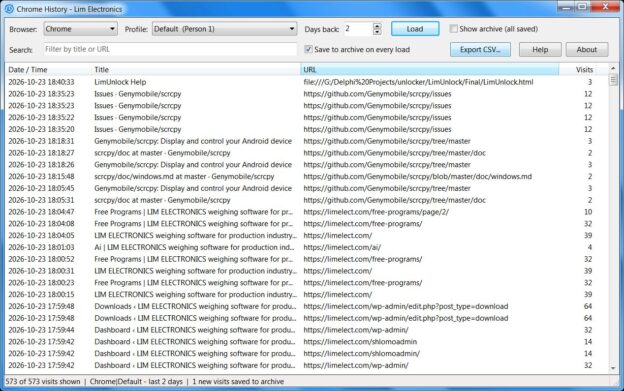
Every web browser keeps a list of the pages you visited. Chrome History shows that list in one
clear window, lets you search it, open pages again, and export it to a spreadsheet.
It also solves a common problem: Chrome, Edge and similar browsers delete history that is
older than about 90 days. Chrome History can save your history into its own archive, so you can
still find a page you visited many months ago.
Supported browsers
Chrome, Chrome Beta, Chrome Canary, Edge, Brave,
Vivaldi, Opera, Opera GX, Yandex, Chromium keep about 90 days
Firefox (also from the Microsoft Store), Waterfox,
LibreWolf, Floorp, Zen usually keep much longer
Only browsers installed on your computer appear in the list. If a browser is missing, it is
not installed, or it has no history yet.