
Combine many HTML files into one PDF, in the order you choose.
HTML to PDF List
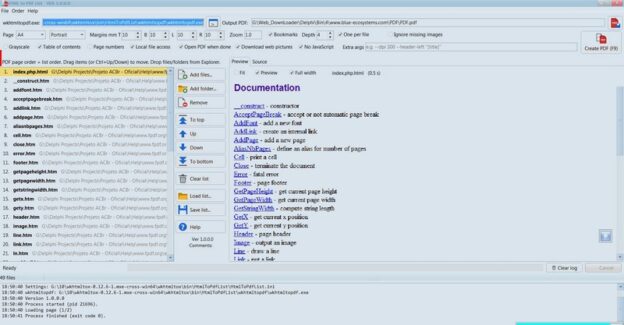
HTML to PDF List is a free Windows tool that turns a folder of HTML pages into a single, well-organized PDF. Drop in files or whole folders, drag them into the order you want, and create the PDF with one click. Every page gets a clickable bookmark, so you can jump straight to it.
Features
- Add files or whole folders, or drag them from Explorer
- Set the page order by dragging, or with Up / Down / Top / Bottom
- One PDF from 50+ pages in seconds
- Clickable bookmarks list, optional table of contents and page numbers
- Downloads pictures from the web, so saved web pages (including Wix sites) keep their images
- Live preview of each page before you create the PDF
- Page size, orientation, margins, zoom and grayscale options
- Your list and settings are saved for next time
- Built-in help; supports Hebrew and other non-English file names
Requirements: Windows 7 or later, and the free wkhtmltopdf engine. Put its
wkhtmltopdf folder next to the program.